Pro Tools sampler guide
Best Pro Tools Sampler Plugins in 2026
Kontakt, Serato Sample, GrooveCell, Falcon, TAL-Sampler, Sitala, or Core Sampler? Compare the best Pro Tools sampler plugins by the workflow each one fits.
There is no single best sampler plugin for Pro Tools. A composer loading detailed orchestral libraries, a producer chopping a full track, and someone turning one one-shot into a playable MIDI part are solving different problems. The useful question is not “which sampler has the most features?” It is “which sampler fits the job in front of me?”
A disclosure before the comparison: Coretone makes Core Sampler. This guide does not pretend it replaces every tool below. It compares the workflows each product is designed around, using current manufacturer documentation and our experience producing in Pro Tools.
The short answer
| Sampler | Best fit in Pro Tools | Choose something else when... |
|---|---|---|
| Core Sampler | Making one sound playable from MIDI quickly, then swapping the sound without rebuilding the performance | You need slicing, multisample libraries, drum pads, scripting, or a deep sound-design system |
| GrooveCell | Building drum kits and pad-based beats with an instrument made for Pro Tools | You want one sample mapped chromatically as a focused playable instrument |
| Serato Sample | Chopping longer samples, finding cue points, separating stems, and syncing material to tempo and key | You only need a lightweight one-shot-to-keyboard workflow |
| Kontakt 8 | Playing commercial instrument libraries or building detailed multisampled instruments | Opening a full instrument platform is unnecessary for the sound in front of you |
| Falcon | Deep hybrid synthesis, sampling, modulation, layering, and sound design | You want very few decisions between finding a sample and playing it |
| TAL-Sampler | Vintage sampler character, DAC emulation, layering, modulation, and mapped instruments | The main goal is direct Pro Tools workflow speed rather than sampler coloration |
| Sitala | Fast 16-pad drum kits, beat slicing, and simple per-pad shaping | You want a single sound spread chromatically across the keyboard |
Core Sampler: best for turning one sound into a playable part fast
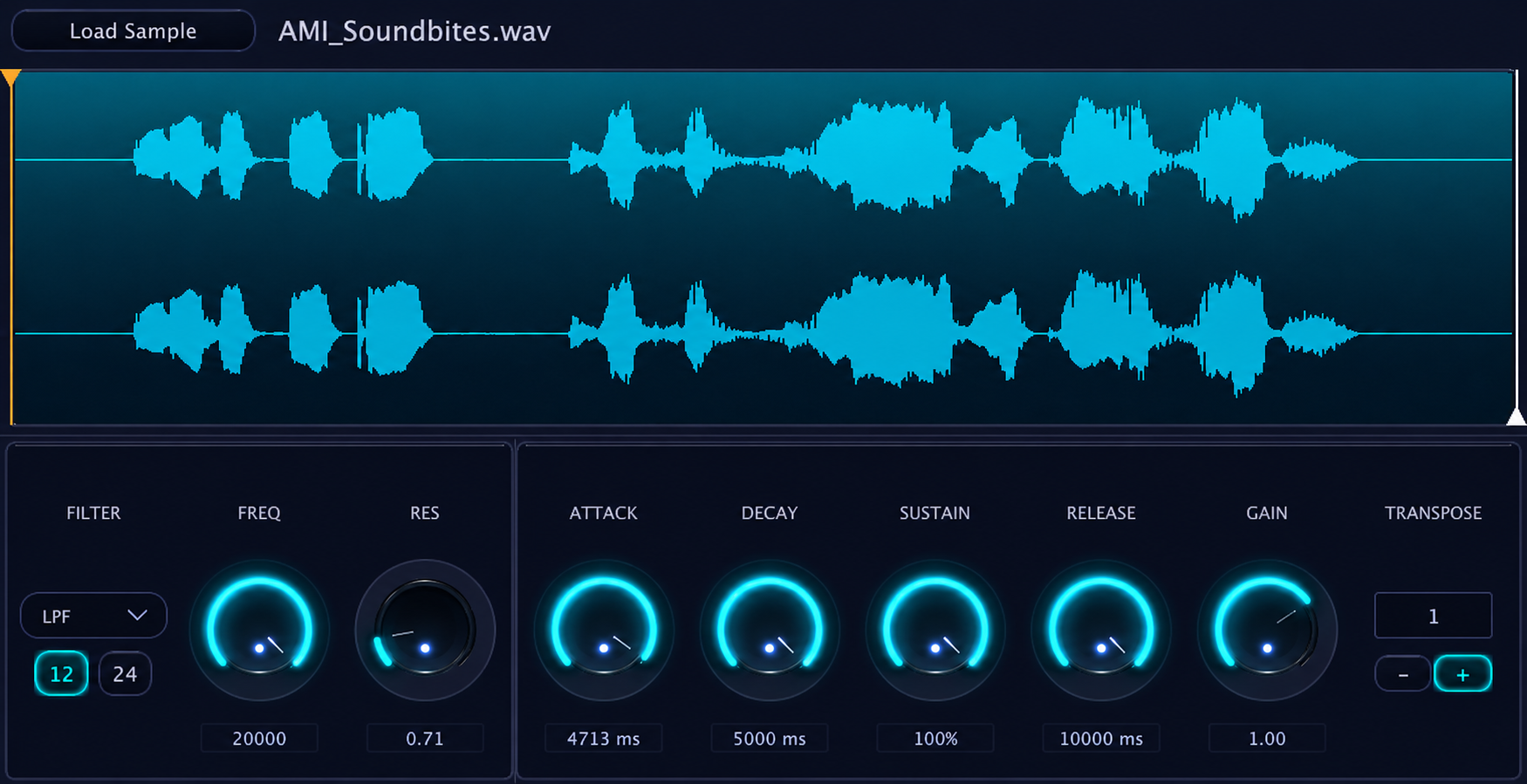
Core Sampler is deliberately narrow. Drag or load a sample, play it chromatically from MIDI, adjust the start and end points, tuning, filter, envelope, fades, and gain, then test a different sound against the same MIDI performance. It is built for the moment when arranging clips on the timeline or opening a larger sampler would interrupt the idea.
It is AAX for Pro Tools on macOS, with native Intel and Apple Silicon support. Loading from disk and dragging from Finder or the Workspace browser work across supported Pro Tools versions; dragging a clip directly from the Edit Window requires Pro Tools 2024.10 or newer. Core Sampler is not the right choice for multisampling, slicing, stem separation, sample libraries, or pad-based drum kits.
GrooveCell and Sitala: best for drum-pad workflows
GrooveCell and Sitala make more sense when the musical unit is a kit rather than one chromatically playable sound. Their pad-based layouts are suited to assigning multiple hits, building drum parts, and shaping sounds independently. Sitala also includes beat slicing and 16 assignable pads. If you are assembling kicks, snares, hats, and percussion, start here instead of forcing a single-sample instrument into the job.
Serato Sample: best for chopping, stems, and tempo-aware sampling
Serato Sample is aimed at a different creative process: analyze a longer piece of audio, find or set cue points, isolate stems, sync it to the session, and flip the result across pads or Keyboard Mode. It supports up to 32 cue points and gives each pad its own controls. Choose it when chopping and transforming source material is the work. Choose Core Sampler when you already have the sound and want to play it immediately.
Kontakt 8: best for instrument libraries and deep multisampling
Kontakt is an instrument platform as much as a sampler. Its strength is the enormous ecosystem of playable libraries, detailed multisampled instruments, scripting, and extensive sound design. For composers and producers who depend on third-party libraries, it is in another category. For a one-shot that needs to become playable now, that depth can be more system than the task requires.
Falcon and TAL-Sampler: best for building and coloring instruments
Falcon is the deep option for hybrid synthesis and sampling, with extensive oscillators, effects, modulation, sequencing, and layered instrument design. TAL-Sampler has a more specific personality: vintage DAC emulation, four layers, filters, modulation, mapping, and time-stretching. Both are better choices when designing the instrument is part of the creative goal, rather than something you want to get through quickly.
How to choose
Start with the source and the outcome. For commercial libraries or detailed multisampling, use Kontakt. For deep hybrid sound design, use Falcon. For vintage sampler color and mapped layers, use TAL-Sampler. For chopping, stems, and tempo-aware flips, use Serato Sample. For kits and pad-based drums, use GrooveCell or Sitala. For the fast Pro Tools moment where one found sound should become a playable MIDI part, use Core Sampler.
Plugin formats, operating-system support, and included features change over time, so verify current requirements on each developer's site before buying.
Sources and product documentation
Product names and trademarks belong to their respective owners. Coretone is not affiliated with or endorsed by the companies listed above.